Create Better YouTube Thumbnails Without Starting From a Blank Prompt
Built for YouTube creators, faceless-channel builders, video marketers, and anyone using AI to create thumbnails.
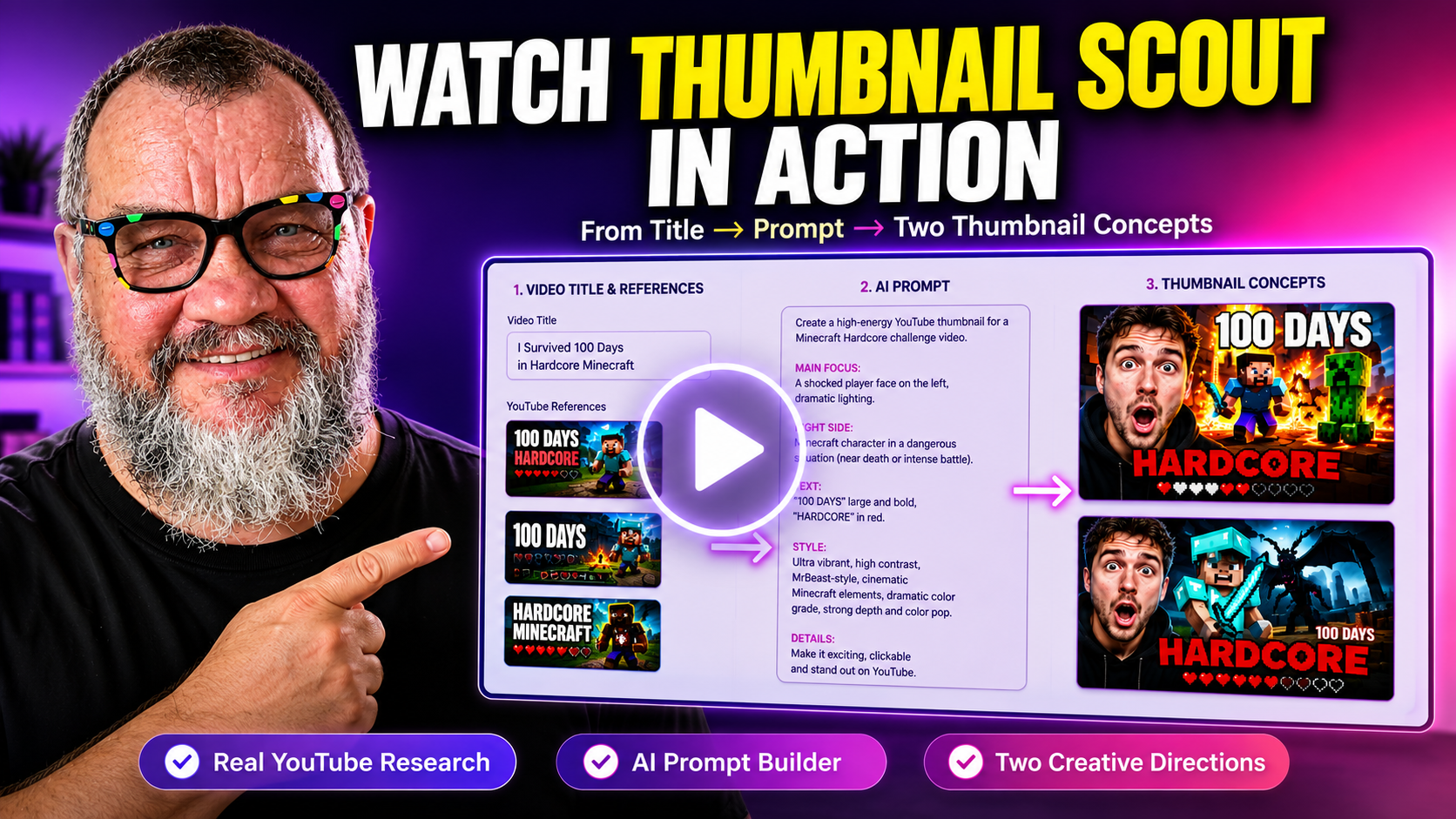
Enter a video title—or paste a YouTube URL—and Thumbnail Scout finds real thumbnail references, writes two distinct AI image prompts, and gives you punchy overlay text ideas ready to use.
 ▶
▶Everything You Need Before You Open Your Image Generator
Follow the full workflow from title and customization to real references, a generated prompt, and two finished thumbnail concepts.
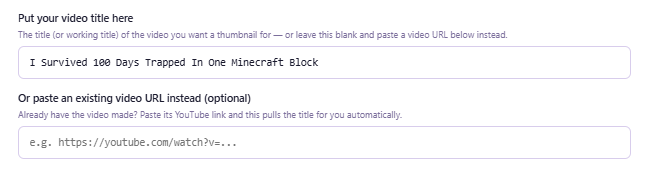
Type a title—or paste an existing YouTube URL
Use your own video title or paste a video link. Thumbnail Scout automatically pulls the real title so you can begin without retyping anything.
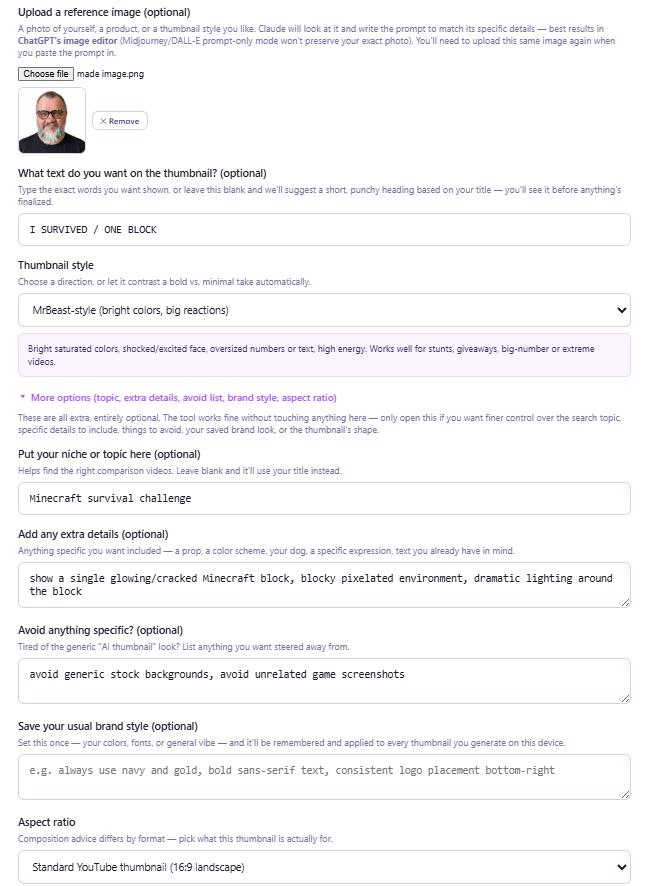
Create Thumbnails Around Your Own Photos
Upload yourself, your product, or a reference image and Thumbnail Scout generates prompts designed around your actual content—not generic AI guesses.
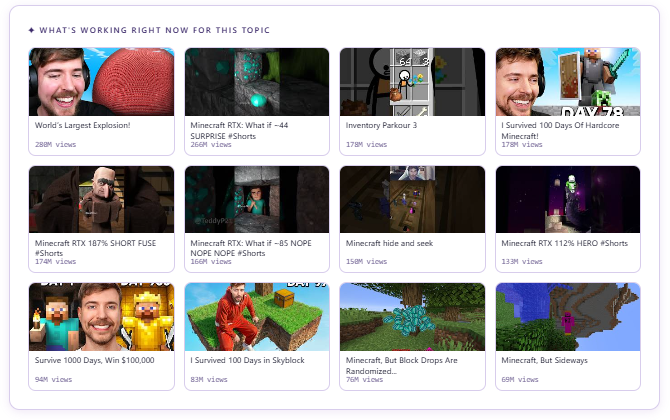
See thumbnails already working for your topic
After your settings are ready, Thumbnail Scout pulls real YouTube thumbnails for the topic and shows the video title and view count beside each reference.
Turn Your Research Into a Detailed Creative Brief
Thumbnail Scout uses your title, live references, style settings, niche, brand preferences, and uploaded image to create a detailed prompt you can copy into your preferred AI image generator.
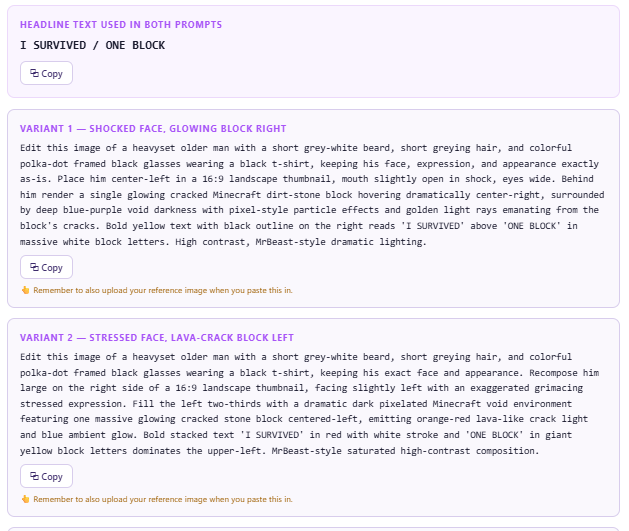
Two Strong Visual Directions You Can Compare and Refine
These finished examples show how Thumbnail Scout can lead to two distinct thumbnail concepts from the same research workflow. Compare both ideas, choose the strongest direction, and refine it for your own video.
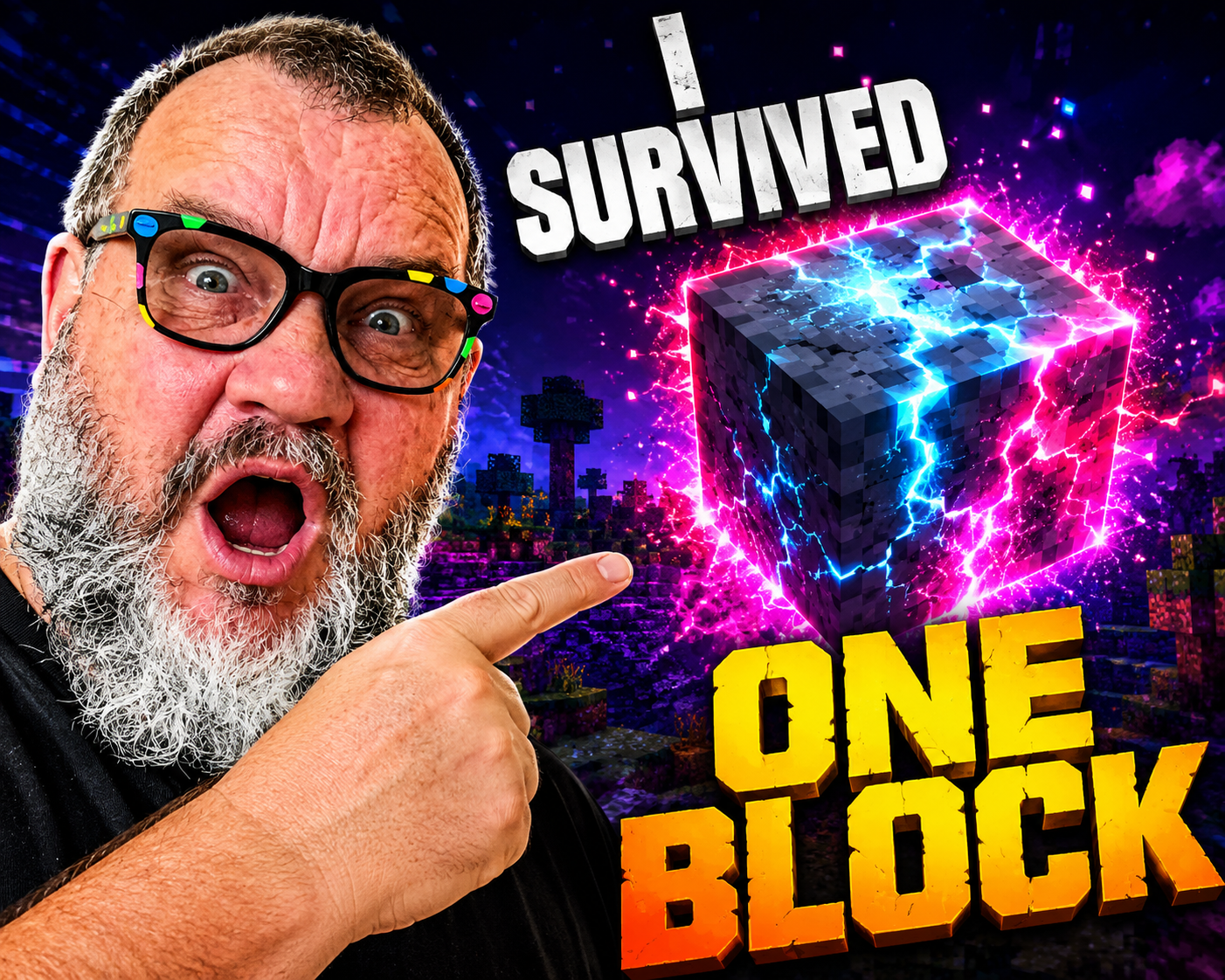
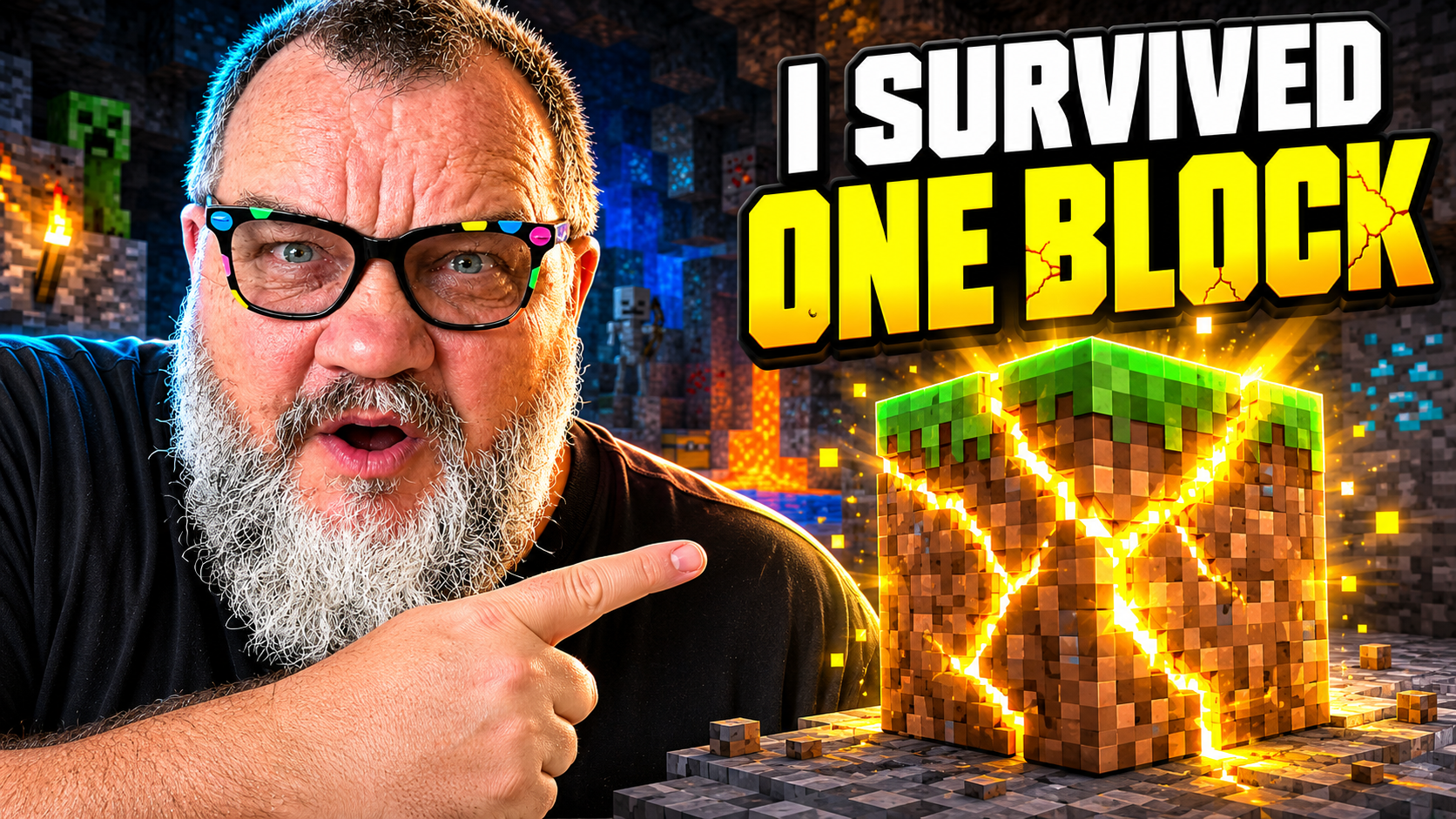
Results vary by image generator, model, uploaded reference image, and any edits you make to the prompt.
You’ve Seen the Complete Workflow
From a simple title to real references, a tailored prompt, and two finished thumbnail concepts—Thumbnail Scout gives you a clearer starting point before you generate.
The Hardest Part of a Thumbnail Is Often Knowing What to Make
You can have a strong video idea and still lose time searching for inspiration, rewriting prompts, and generating generic-looking results.
- Search YouTube manually for inspiration
- Stare at a blank AI prompt
- Guess which style suits the video
- Generate generic thumbnail clichés
- Rewrite everything after weak results
- Start with real topic-specific references
- Choose from two distinct prompt directions
- Generate short overlay text ideas
- Apply your own brand style automatically
- Create from a much clearer visual brief
Thumbnail Scout does not replace your creativity. It gives you a stronger, faster starting point for creating original thumbnails.
From Video Idea to Ready-to-Use Thumbnail Prompts
The default workflow stays simple, while advanced controls remain available when you need them.
Add Your Video
Type the title or paste a YouTube URL and let Thumbnail Scout pull the real title automatically.
Customize the Direction
Choose the style, aspect ratio, niche, brand preferences, extra details, avoid list, and optional reference image.
Review Real References
See live topic-matched thumbnails before choosing your creative direction.
Generate Your Thumbnail Direction
Compare the generated prompt and see how one prompt becomes a finished thumbnail.
A Complete Thumbnail Planning Workflow in One Browser-Based Tool
Use the simple default view for speed, or open the advanced controls when you need more creative direction.
Find Real Inspiration
- Enter a video title or paste a YouTube URL
- Pull real topic-matched thumbnails from YouTube
- See titles and view counts beside each reference
- Use a niche field to refine the search
Generate Better Prompts
- Create two distinct prompt directions
- Get short descriptions for each visual style
- Copy prompts into ChatGPT, Midjourney, DALL·E, or Ideogram
- Generate four to five punchy overlay-text ideas
Control the Style
- Choose Auto, Bold, Minimal, MrBeast-style, or Documentary/Vlog
- See live guidance for each style
- Select 16:9, 9:16, or 1:1 composition
Make It Your Own
- Upload yourself, a product, or a style reference
- Add colours, props, and must-have details
- Avoid generic AI clichés
- Save your usual brand style locally
Use Reference Images Correctly
- Generate prompts around visible image details
- See which tools preserve your real photo
- Get reminders to re-upload the reference image
Copy, Regenerate, and Export
- Try another version without repeating the search
- Copy any prompt or overlay phrase
- Download the complete output as text
Simple One-Time Setup
Thumbnail Scout runs as a single HTML file and stores your keys locally in your browser.
Free YouTube API key
Used to pull live thumbnail references.
Optional Anthropic API key
Only needed outside Claude.ai.
Local browser storage
No need to re-enter keys each visit.
No installation
Open the HTML file and use it in your browser.

Built By a Real Digital Product Creator
Hi, I’m Stephen Henbie. I create practical browser-based tools that help creators save time, simplify their workflow, and get better results without complicated software.
Stop Starting Every Thumbnail From Scratch
Use real YouTube references, tailored AI prompts, and your own brand preferences to create stronger thumbnail directions faster.
- Standalone browser-based tool
- No installation or hosting
- Works with the AI image generator you already use
- One-time purchase with no monthly software subscription
Get the Complete Tool
One payment for the browser-based thumbnail research and prompt-building workflow.
Questions About Thumbnail Scout
Does Thumbnail Scout create the final thumbnail?
Thumbnail Scout creates the research, prompt directions, and overlay text ideas. You paste the prompt into ChatGPT, Midjourney, DALL·E, Ideogram, or another compatible image generator to create the final image.
Can I paste a YouTube video URL instead of typing the title?
Yes. Paste a public YouTube URL and Thumbnail Scout automatically pulls the video title for you before starting the research.
Are the reference thumbnails real?
Yes. The tool uses the YouTube Data API to pull real thumbnails for your selected topic, together with the video title and view count.
Which AI image tools can I use?
The prompts are designed for tools such as ChatGPT image generation, Midjourney, DALL·E, and Ideogram. Results vary by platform and model.
Can I use a photo of myself or my product?
Yes. Upload a reference image and Thumbnail Scout will write prompts around its visible details. To preserve the real image accurately, use a tool that supports image editing or image-plus-text input, and upload the image again with the generated prompt.
Will it remember my brand style?
Yes. You can save your usual colours, fonts, and visual direction locally on your device, and Thumbnail Scout will apply them to future prompts.
Can I avoid common AI-thumbnail clichés?
Yes. Use the avoid list to exclude elements such as shocked faces, red circles, yellow arrows, cluttered layouts, or anything else you do not want included.
Do I need an API key?
You need a free YouTube Data API key to retrieve live references. An Anthropic API key is optional and is only required when using the prompt-analysis features outside Claude.ai.
Where are my API keys stored?
They are saved locally in your browser. Thumbnail Scout does not operate a separate server that stores your keys or projects.
Is this a subscription?
No. Thumbnail Scout is a standalone browser-based tool sold as a one-time purchase. Separate API providers may apply their own usage limits or charges.
Does the tool guarantee more clicks or views?
No. Thumbnail Scout helps with research, ideation, and prompt creation. Thumbnail performance also depends on the video topic, title, audience, channel, execution, and other factors.