I Have No Idea What to Build
Not sure where to begin?
Use the discovery tools to uncover problems people want solved and explore interactive product ideas you may never have considered.
Whether you have no idea, too many ideas, or one rough concept, the Build Anything Kit helps you discover the right product, shape it into a clear plan, and prepare an interactive digital product people can actually use.
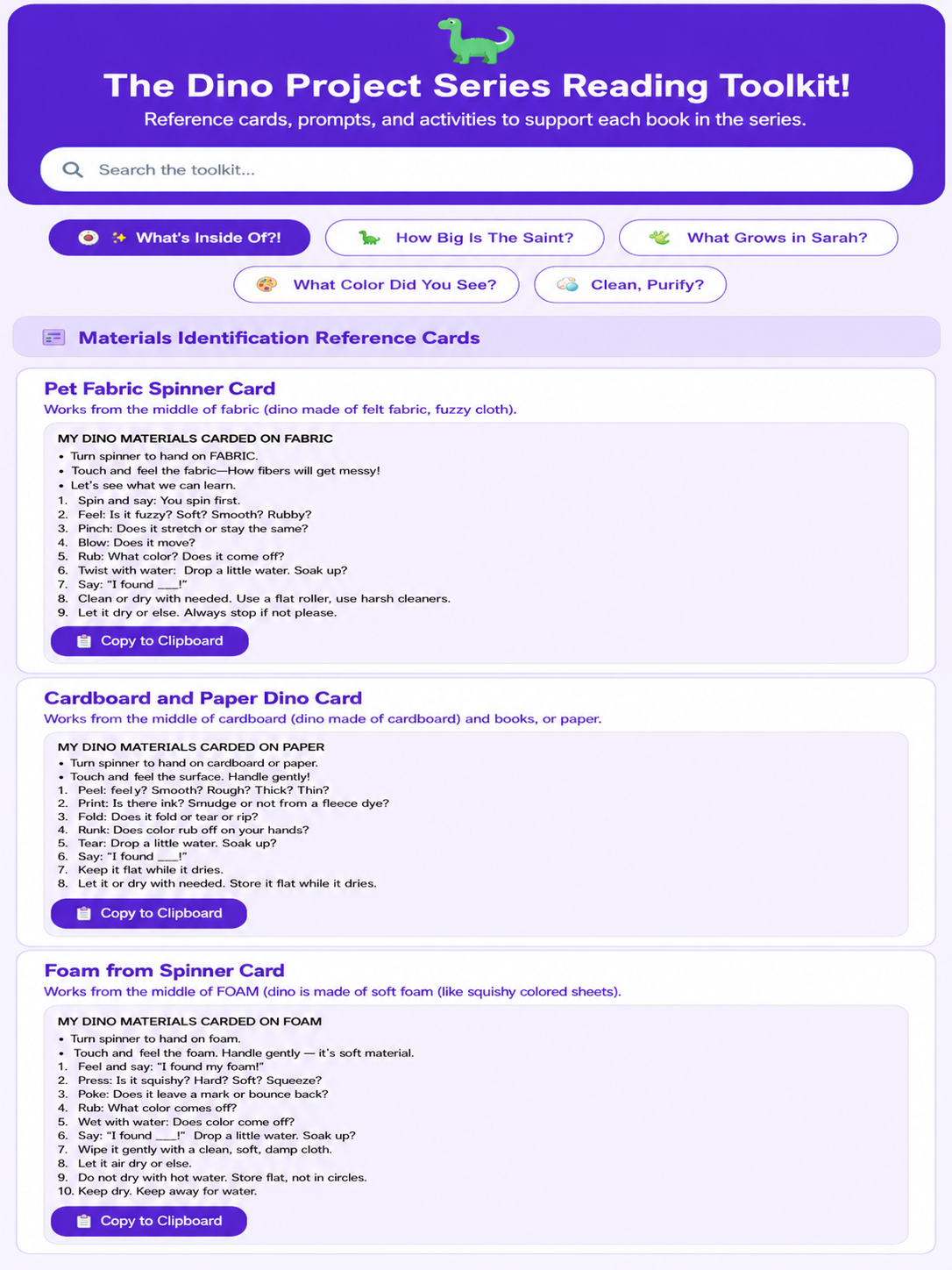
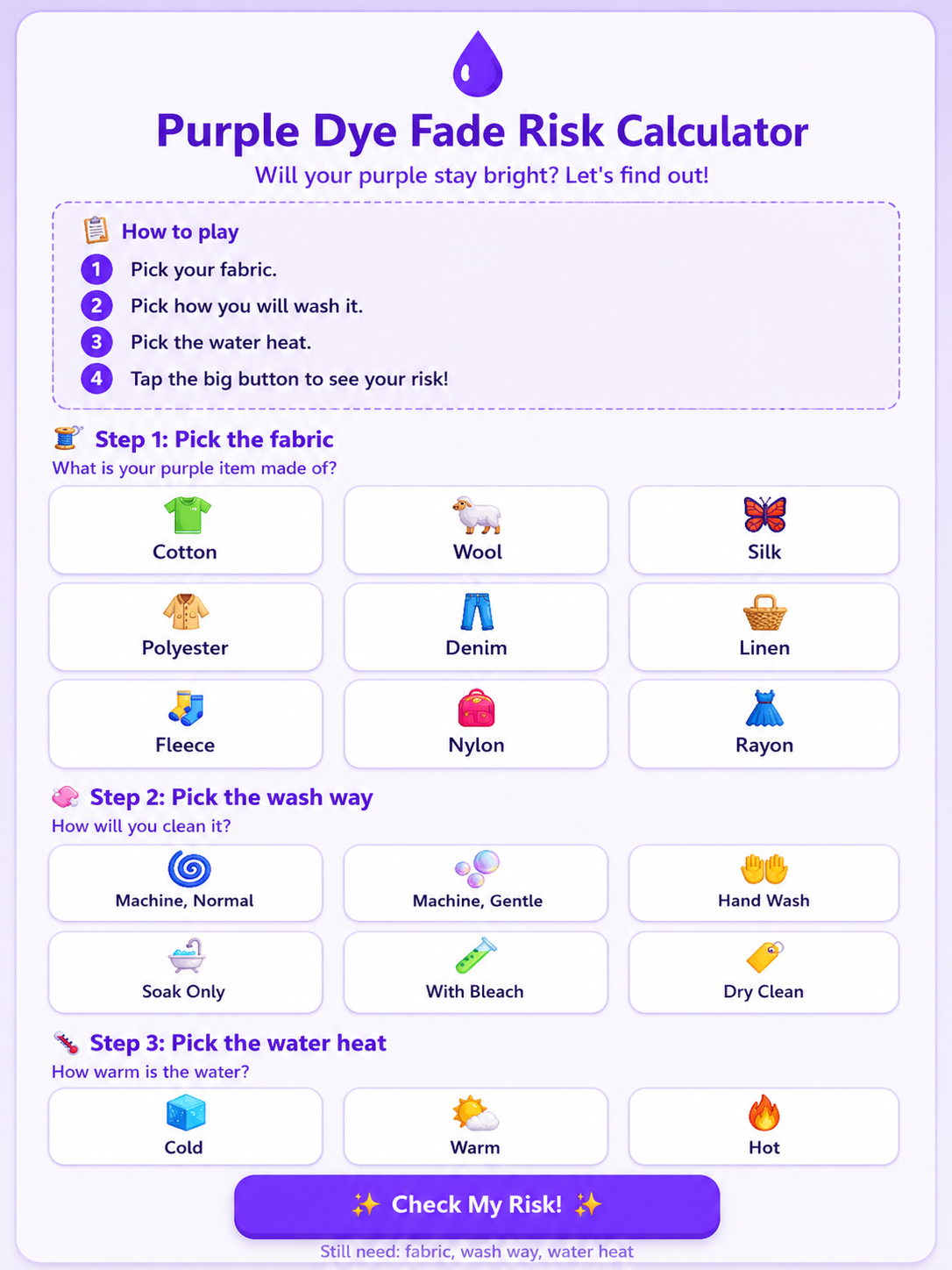
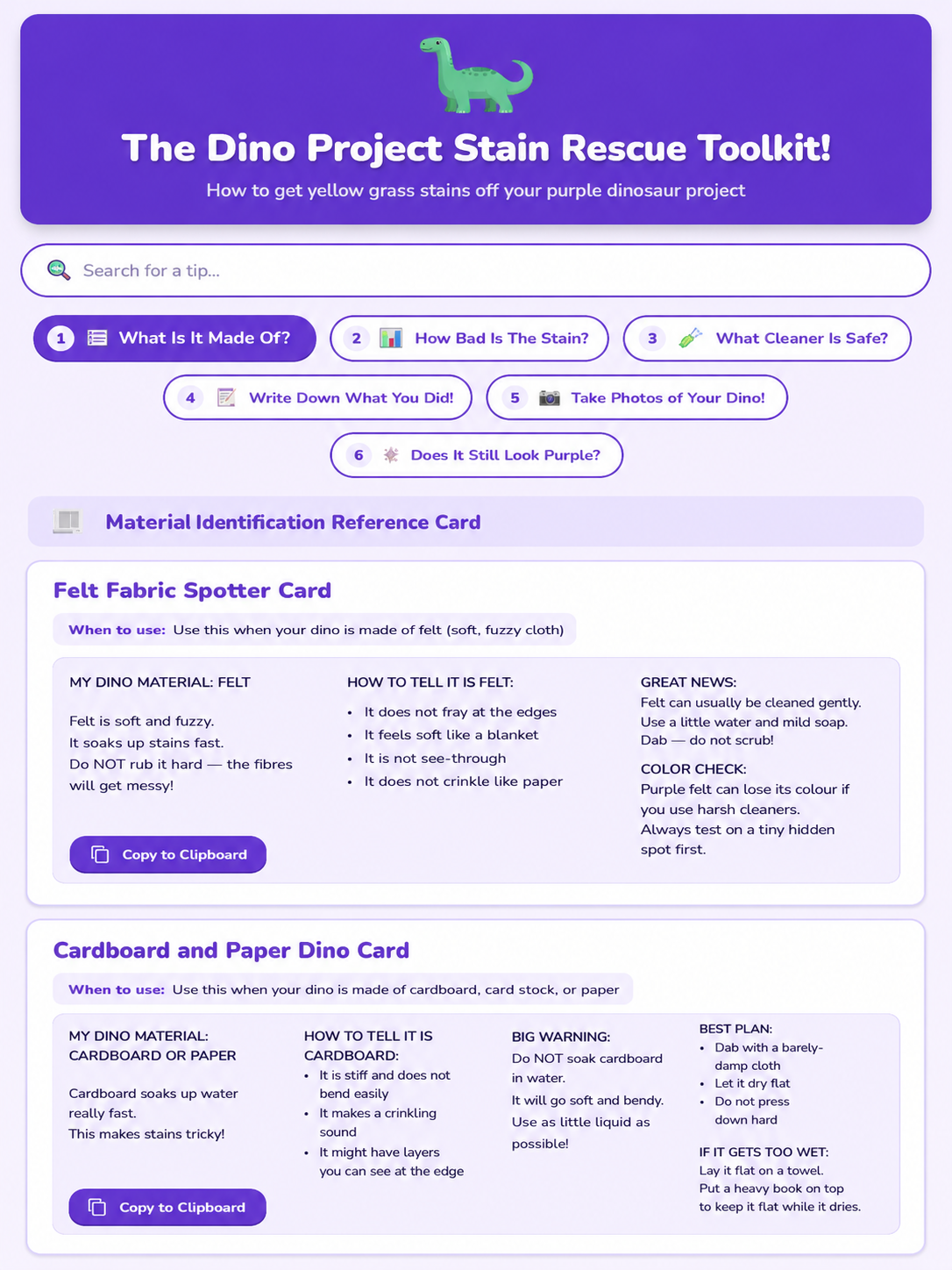
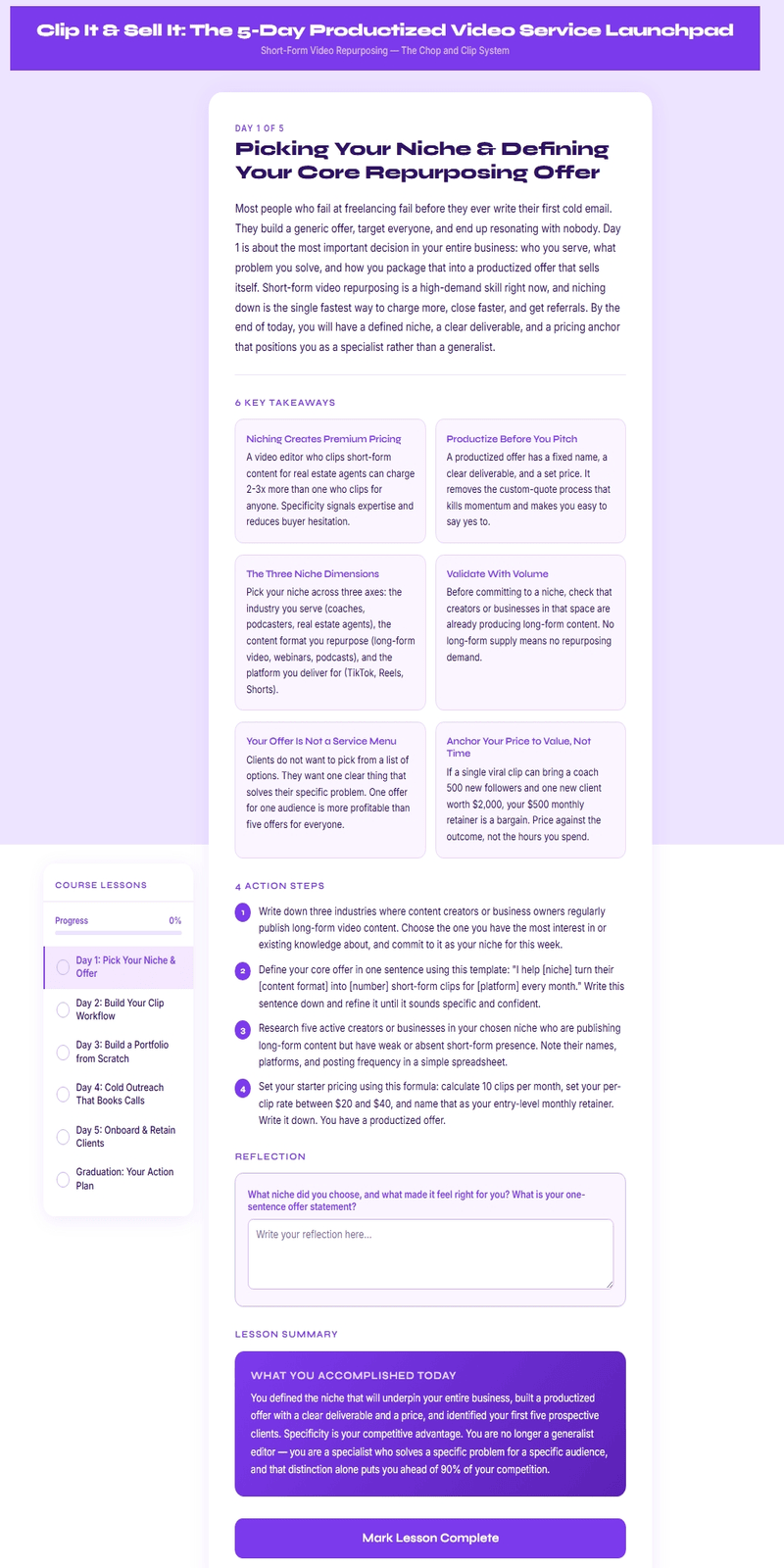
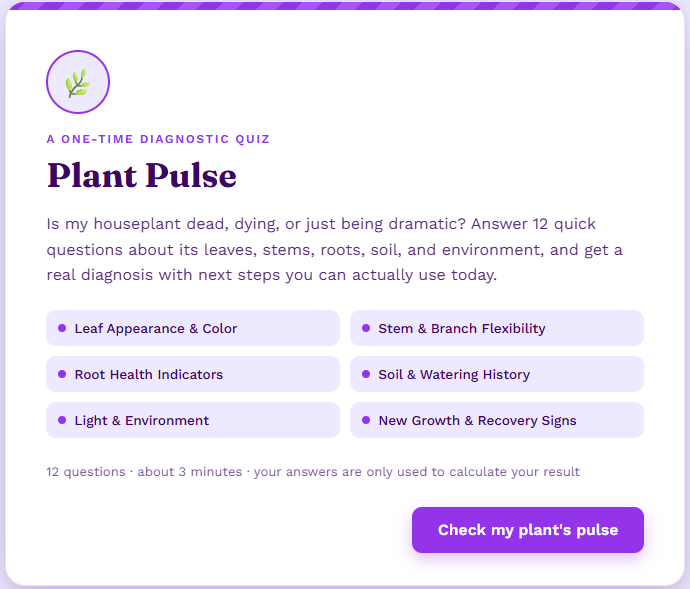
Open three real examples created in the same practical style the Build Anything Kit helps you plan. Explore how a simple idea can become a useful calculator, tracker, planner, quiz, or interactive tool people can actually use.
Most people don't struggle because they can't create a digital product.
They struggle because they don't know where to begin.
Whether you're starting with nothing, choosing between too many possibilities, or trying to shape one rough idea into something real, the Build Anything Kit helps you move forward with confidence.
Not sure where to begin?
Use the discovery tools to uncover problems people want solved and explore interactive product ideas you may never have considered.
Stop trying to build everything.
Compare your ideas, identify the strongest opportunity, and focus on the product that's most worth your time.
Turn a rough concept into a structured product plan, explore different formats, and decide what makes the most sense before you start building.
The Build Anything Kit is a product-discovery and planning system for creators who feel stuck at the beginning. Bring your own idea, sort through several ideas, or let the kit help you find a starting point. Then use the guided process to choose a direction, organize it, and move forward with more confidence.
Make the important product decisions before spending time building the wrong thing.
Enter your own topic, audience, problem, or question. When you have no starting idea, use the Random Niche Finder to uncover a specific direction.

See full-product formats and standalone tools matched to the search. Compare the options and select only the ideas that support the direction you want.

The selected possibilities can lead to different kinds of useful products from the same starting problem. This helps you see the options clearly before deciding what to create first.
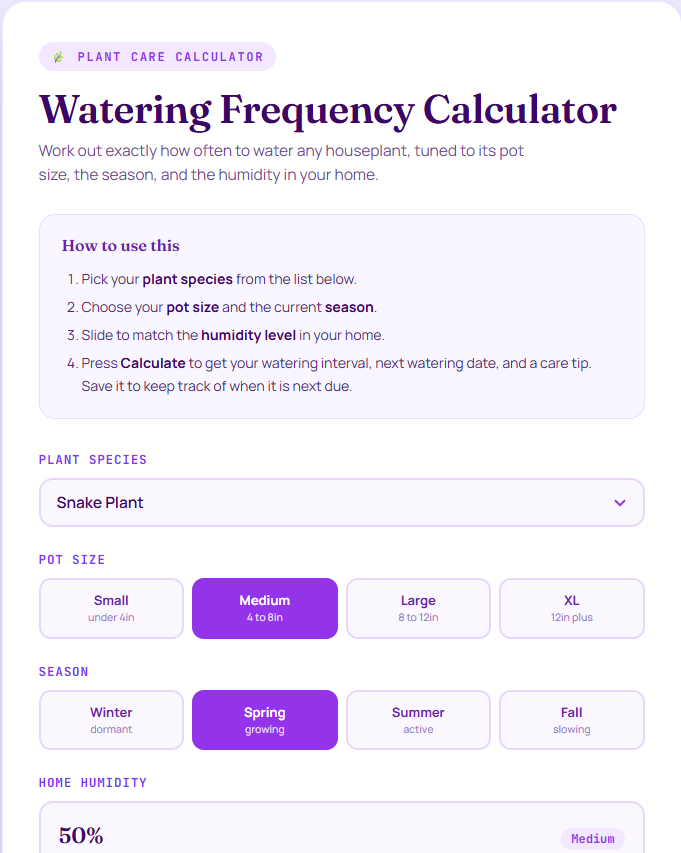
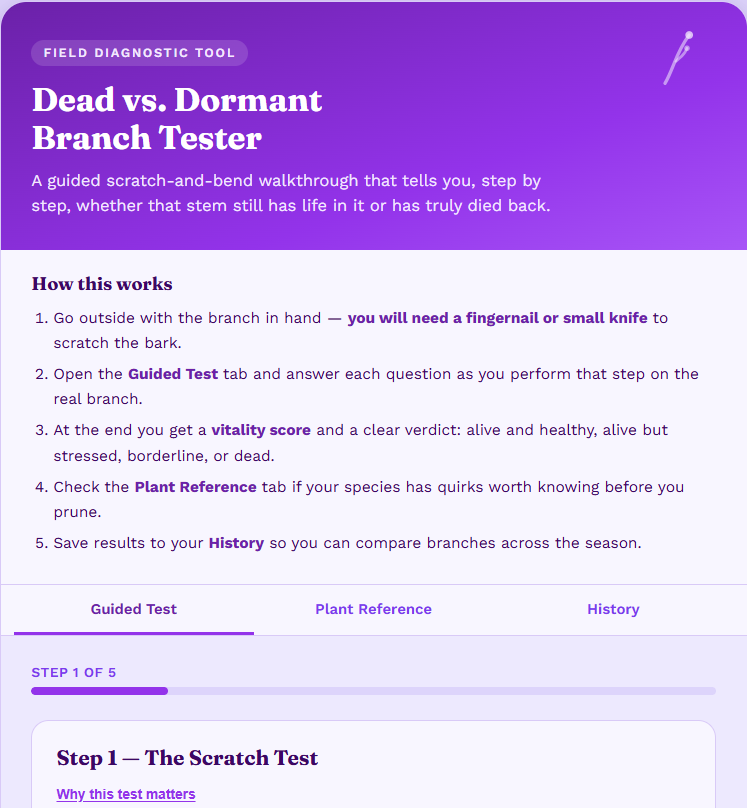
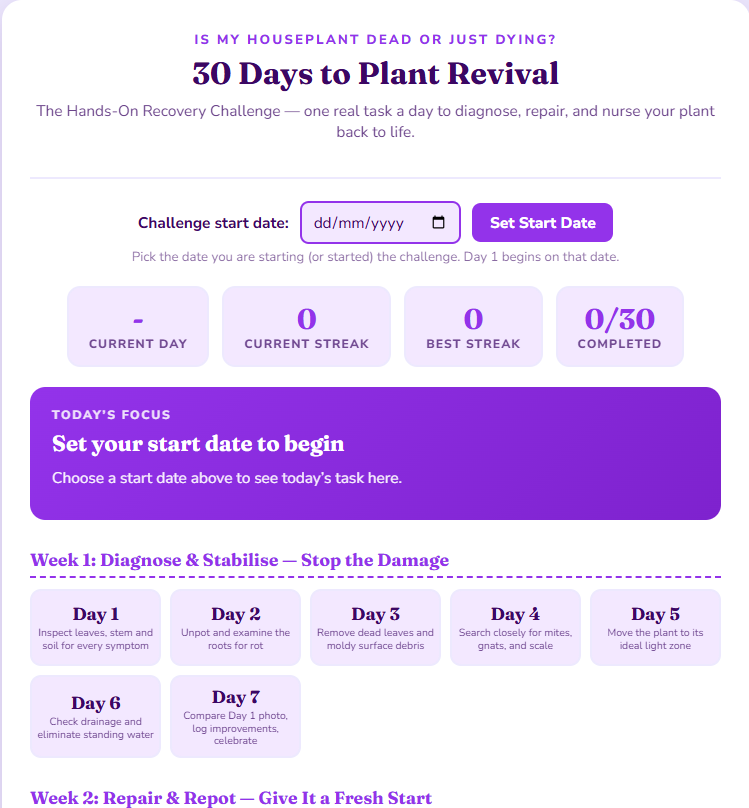
When the suggestions are close but not exact, enter your own tool name and description. This keeps your original idea inside the same project workflow.

The same search can lead to a larger guided product, a focused browser tool, or a connected bundle built over time.
Plan something your buyer reads, follows, completes, or works through from beginning to end.
The possibilities are almost endless. Once you choose a problem, audience, or goal, you can explore all kinds of focused interactive tools built around that specific need.
These examples are demonstrations of the workflow—not promises that every idea will sell.
The dinosaur example begins with a playful but specific family problem: removing yellow stains from a purple dinosaur toy. It shows how a narrow children’s idea can lead to a guide, calculator, rescue toolkit, and tracker without forcing it into a generic business niche.
 View the Matching Dinosaur Sales Page →
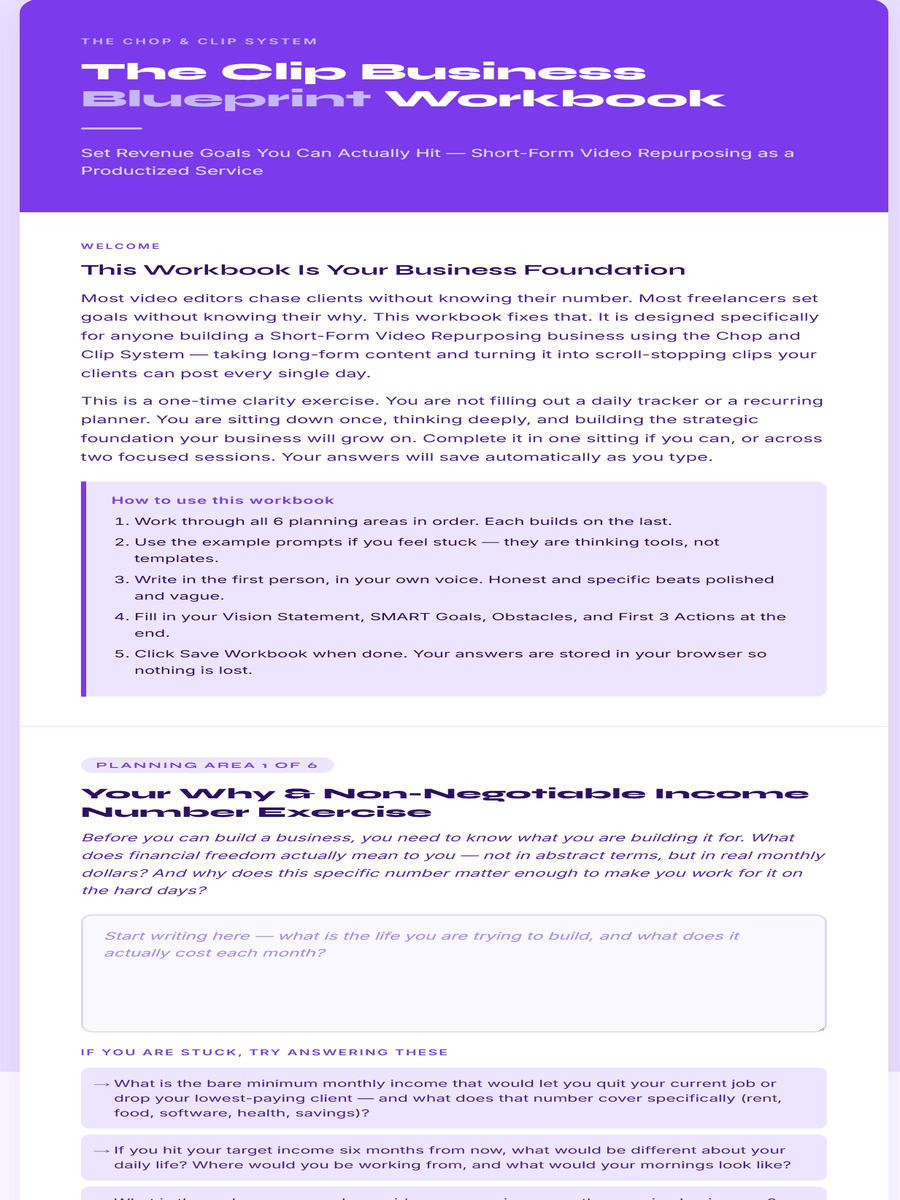
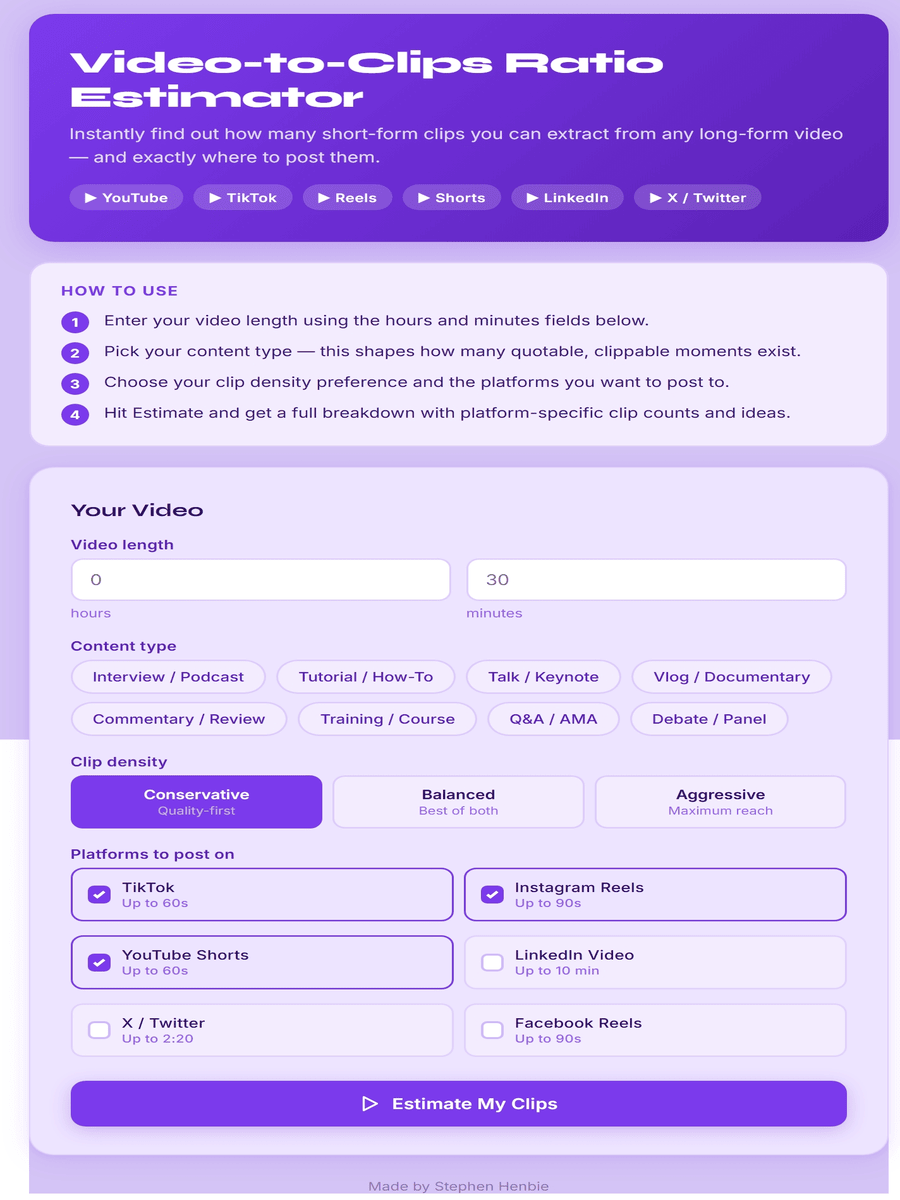
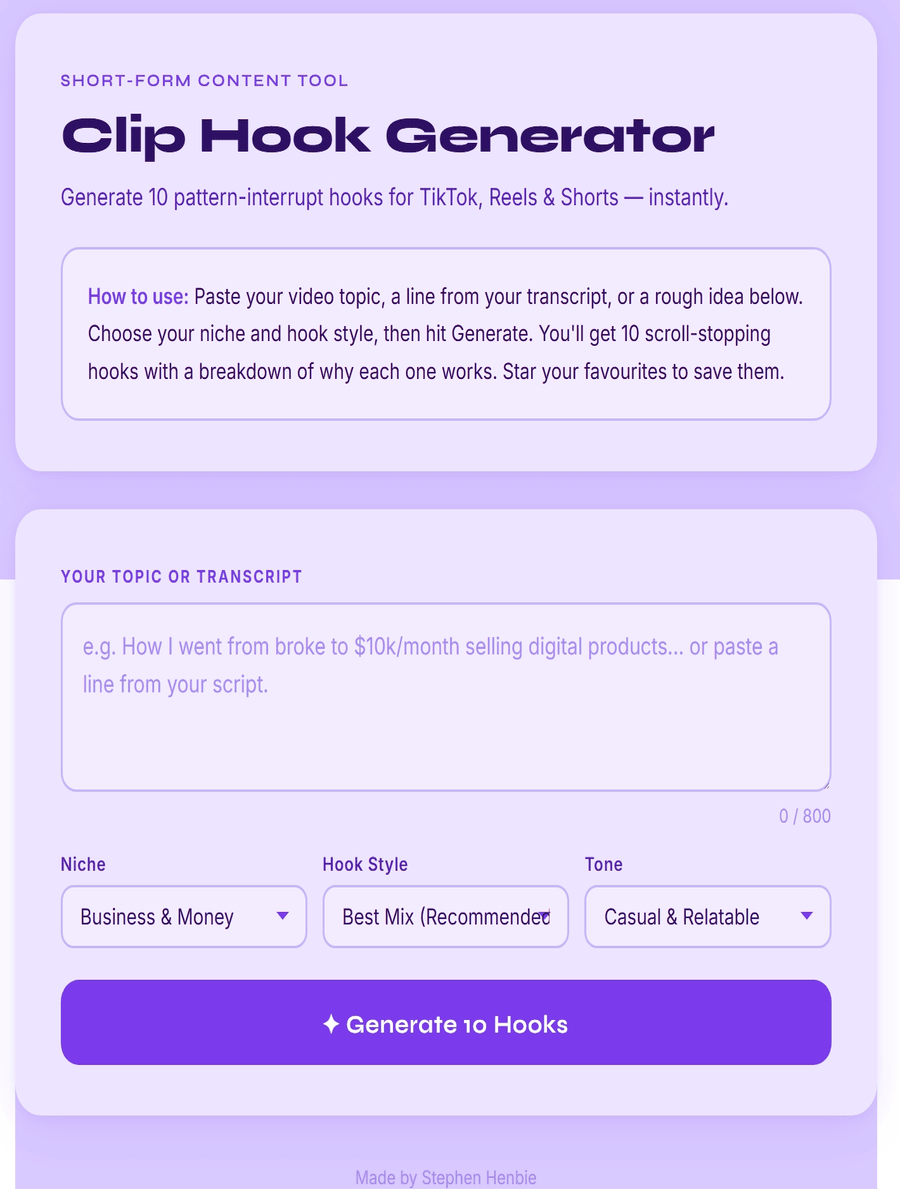
 A practical marketer-focused example showing how one service opportunity—turning long-form video into short clips—can become a mini course, workbook, estimator, generator, connected bundle, and matching sales page.
 View the Matching Sales Page →
 Choosing the right product is only the beginning.
Once you've decided what to create, the Build Anything Kit helps you generate a professionally structured sales page built around your product, audience, and key selling points.
Instead of staring at a blank page wondering what to write, you'll have a complete first draft that explains your product, highlights its benefits, and guides visitors towards taking action.
Use it as your starting point, customise it to match your own style and brand, and publish with confidence.
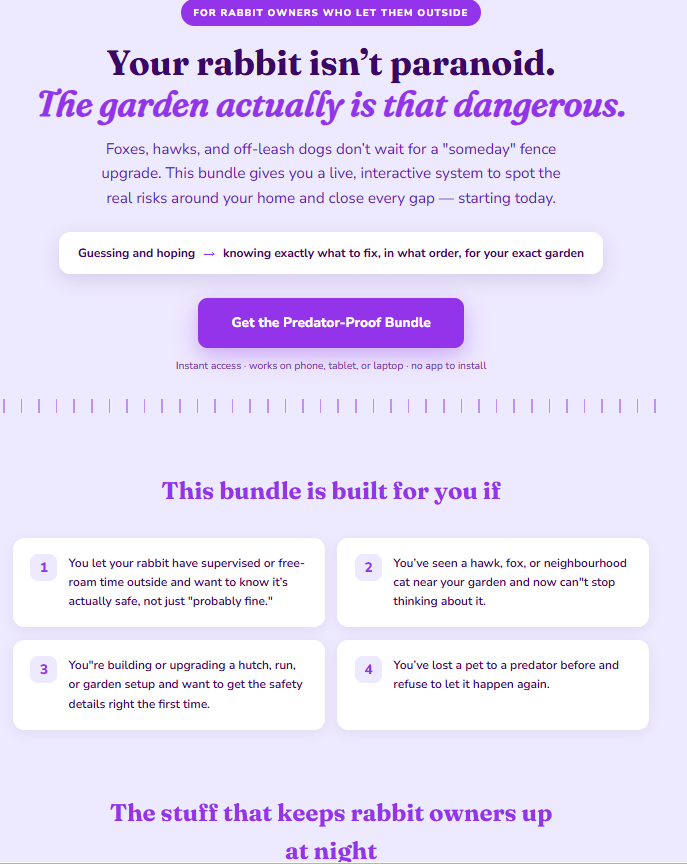
Example of a professionally structured sales page generated from your chosen product.
You do not need to create a complete bundle in one sitting. Choose one product or tool, build it, save the project, and return when you are ready for the next piece.

What you are seeing: one place to keep the product direction you chose, the tools you added, and the links you created as the project grows.
Keep selected products, custom tools, prompts, screenshots, live links, and notes together. This lets you complete one piece now and continue the same project later without rebuilding the plan from memory.

What you are seeing: an example customer access document for organizing finished product links.
When your products are ready, use the included sample as a starting point for a simple customer access document. Organize the finished links clearly so buyers know what they received and where to begin.
A connected workflow for discovering, choosing, preparing, and organizing products—not a loose folder of generic prompts.
The Build Anything Kit provides ideas, structure, and a clearer path forward. It does not guarantee sales, profitability, or product-market fit.

Hi, I’m Stephen Henbie. I built the Build Anything Kit after seeing how often product creation stalls before the building even begins—when someone cannot choose a niche, narrow an idea, or decide what the product should actually contain.
I use this process to plan interactive guides, courses, workbooks, calculators, trackers, quizzes, generators, bundles, and matching sales pages. The examples on this page show products and tools built from the same kind of specific searches the kit is designed to support.
Use the complete discovery, planning, prompt-generation, and project-saving workflow to move from uncertainty to a clearer product direction.
External software: Your own API key is used for comprehensive search. Claude is required to turn the generated prompts into finished products. Hosting or a page platform is needed to publish them.
The checkout page displays the current price, payment terms, delivery details, and applicable refund information before purchase.
Clear answers about what the kit does, what you need, and what happens next.
It is a web-based product-discovery, planning, prompt-generation, and project-saving toolkit. You can search a topic or problem, discover one with the Random Niche Finder, review suitable products and tools, select what to build, and generate Claude-ready prompts.
Yes. The built-in Random Niche Finder is specifically for starting without a topic. It helps uncover a specific real-life problem you can explore.
Use the search and matched suggestions to compare directions, then select one product or tool to develop first. You can save other projects for later.
Examples include interactive guides, ebooks, mini courses, workbooks, challenges, routine builders, planners, quizzes, assessments, calculators, estimators, trackers, logs, generators, and other focused browser tools.
No. The kit creates the detailed Claude-ready prompt. You paste that prompt into Claude, review the generated product, make any required changes, and publish it using your chosen hosting or page platform.
They translate your selected concept, product type, tools, and features into structured building instructions that Claude can use to generate the product code and related sales-page content.
Yes, if you want to use the generated prompts in the workflow shown on this page. The kit generates the prompt; Claude is the external tool used to create the product from it.
No coding experience is required to use the kit or generate the prompt. You still need to review, test, publish, and maintain the output created by Claude.
Yes. The comprehensive search and idea-matching process uses your own API key. Setup training is included so you can connect it securely.
You can use the workflow to plan product ideas and prompts for your own work or client projects, subject to the terms presented with your purchase and any terms of the external AI and hosting services you use.
The workflow is designed to help you create products and offers under your own name or business. You remain responsible for originality, quality, legal compliance, licensing, testing, and the terms of any external platform used.
Yes. The dinosaur example shows how a narrow children’s or family problem can become a focused set of educational and practical products. A child-use option is available where relevant.
No. It is designed for content-based browser products and tools. It does not create live price feeds, weather feeds, live scores, internet-connected chatbots, synchronized multi-user systems, or tools that send real emails or text messages.
Please review the current access and update terms shown on the WarriorPlus checkout page before purchasing.
WarriorPlus processes the payment and provides the delivery instructions associated with the offer. Follow those instructions to access the kit and setup training.
The applicable refund terms are displayed with the current offer and checkout information. Please review them before completing your purchase.
No. It helps you discover, structure, and prepare product ideas. Market demand, product quality, positioning, promotion, customer experience, and sales results remain your responsibility.
It is not for someone expecting guaranteed sales, a completely hands-off business, or a finished product without reviewing AI output, testing it, publishing it, and marketing it.
Start with no idea, too many ideas, or one unfinished concept. Use the Build Anything Kit to discover a direction, decide what to create, and prepare the next step with greater clarity.
Current price, payment terms, access details, and refund information are shown at checkout.